Preparation:
- Alcohol 1 bottle
- Syringe with soft pipe 1pcs
Key points of flushing the head:
- Move out the head in the middle(Print a nozzle check, when you see the head moves out, then power off)
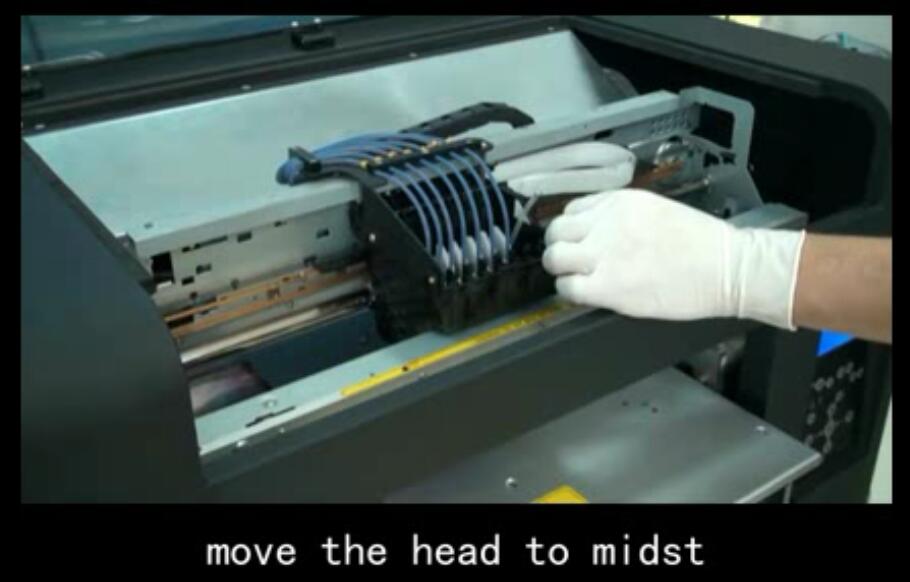
Middle
- Take out the damper which the head was clogged
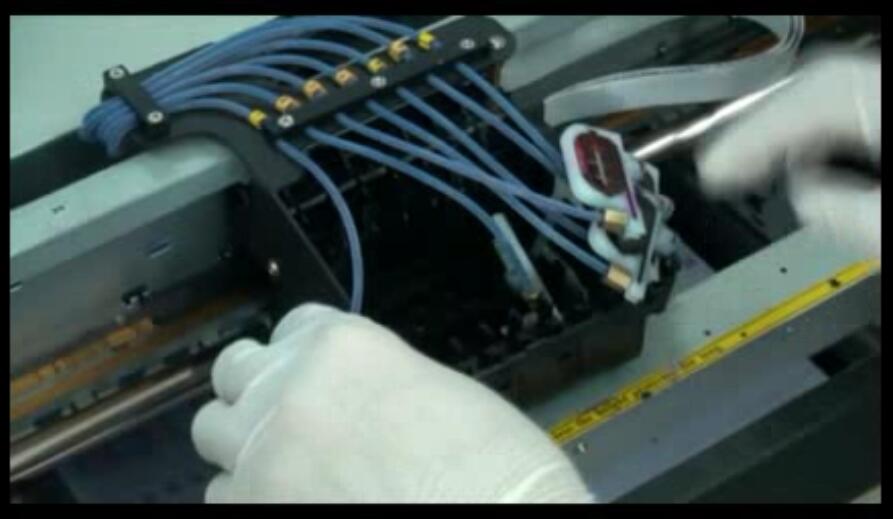
Dampers
- Use a syringe with soft pipe to pull some alcohol
- Connect the pins of head, then inject slowly(Don’t push too hard, otherwise the head will be damaged)
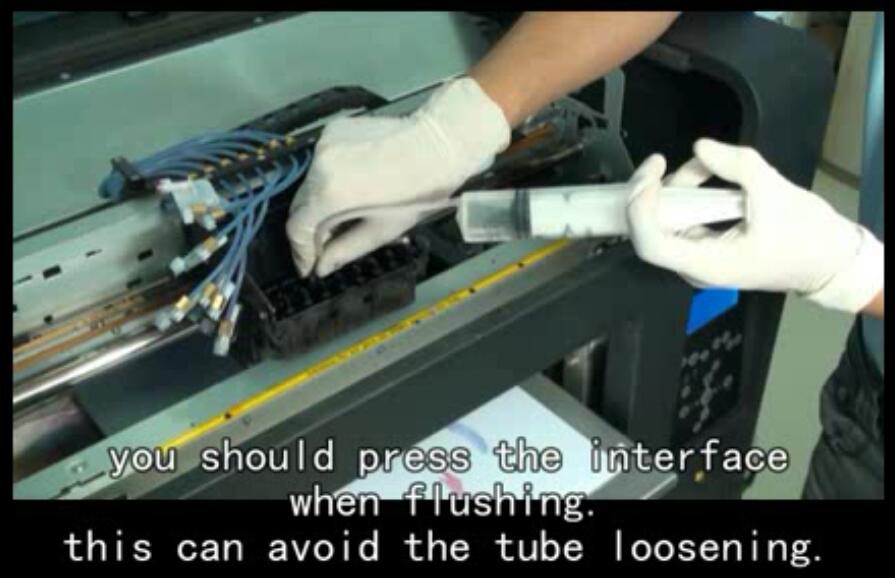
Flushing
- During flushing the head, make sure no liquid leak & no liquid comes into the head cable side
- When you see a water fall from the head, that means the head is not clogged
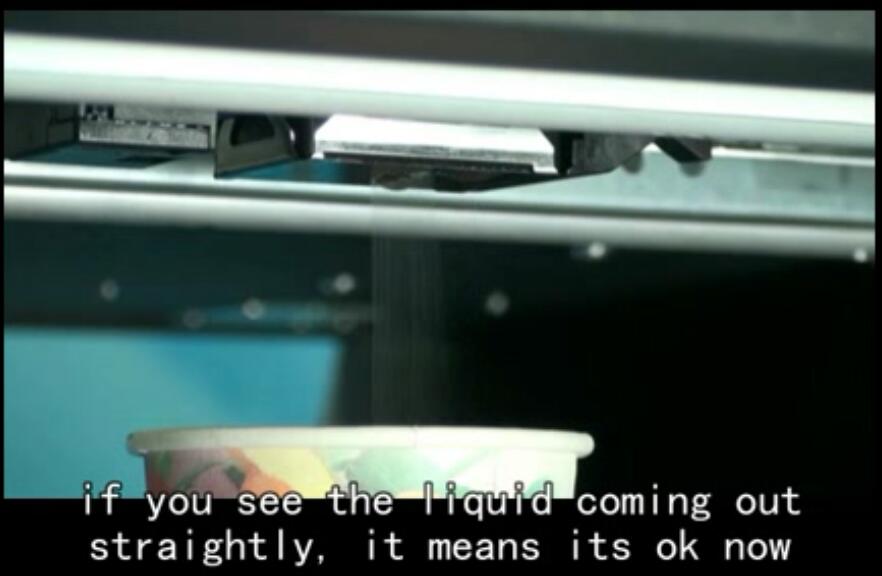
good
- Check the damper level before installing back. Must make sure you install the damper firmly
- Power on printer again
- Pull out 5ml inks from wasted ink tube
- Print nozzle check to see
- If it’s not good enough, then do a head cleaning & print another nozzle check
